Laravel LTE3
An admin panel for Laravel built on AdminLTE 3 (Bootstrap 4, jQuery): a ready layout with navbar, sidebar, alerts and auth pages, and a Blade form builder with almost forty components — from text inputs to select2 with AJAX search, date pickers, file managers, Spatie Media Library uploads, trees and inline editing.
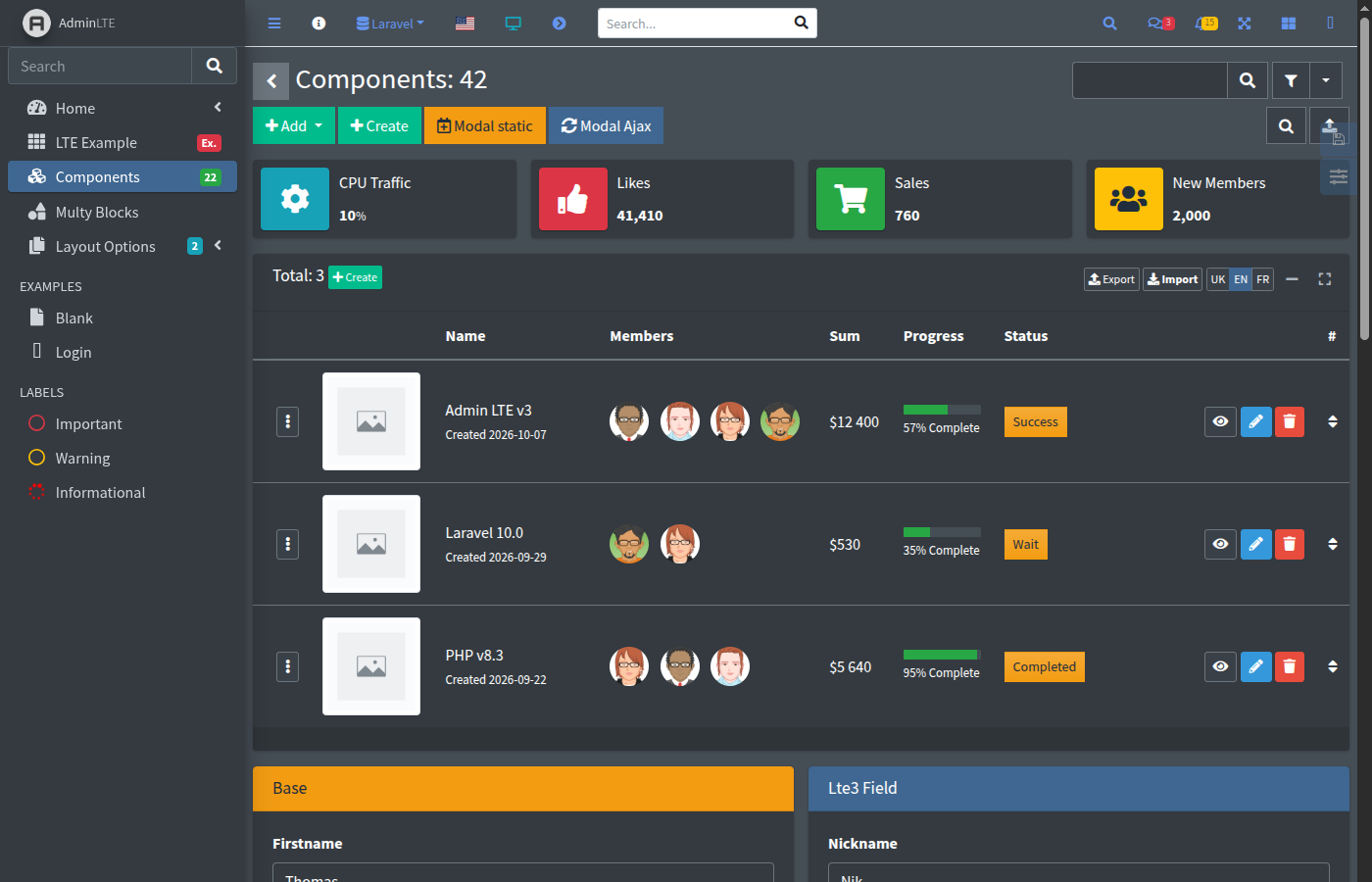
- Fields in one line —
{!! Lte3::text('title') !!}renders a Bootstrap form group with label, value, validation error and help text - Value from everywhere —
old()input, the request, an explicit value, the bound form model or a default, in this order - AJAX out of the box — autosave of select2, checkbox, colorpicker and x-editable, AJAX search and tags, tree selects, modals filled from the server
- Files — plain uploads, Laravel File Manager picker with drag and drop, Spatie Media Library field with previews, sorting, properties and a main file
- Dynamic content — fields in modals, repeaters and AJAX responses are initialized automatically
- Layout — light, dark and system theme, compact mode, filters, content header with breadcrumbs, toastr / sweetalert / Bootstrap alerts, pagination
- Customizable — every field is a Blade view: publish it, or register your own component in the config
Quick example
Section titled “Quick example”composer require fomvasss/laravel-lte3composer require almasaeed2010/adminltephp artisan lte3:installA page of the panel:
@extends('lte3::layouts.app')
@section('content')    @include('lte3::parts.content-header', ['page_title' => 'Edit post'])
<section class="content"> <div class="card"> <div class="card-body"> {!! Lte3::formOpen(['action' => route('admin.posts.update', $post), 'method' => 'PUT', 'model' => $post]) !!} {!! Lte3::text('title', null, ['required' => true]) !!} {!! Lte3::select2('status', null, ['draft' => 'Draft', 'published' => 'Published']) !!} {!! Lte3::datetimepicker('published_at') !!} {!! Lte3::textarea('body', null, ['rows' => 8]) !!} {!! Lte3::btnSubmit('Save') !!} {!! Lte3::formClose() !!} </div> </div> </section>@endsectiontitle, status, published_at and body are filled from $post, and after a failed validation — from the old input.
Outside of production the package registers a demo at /lte3: dashboards, auth pages, all components at /lte3/components and block repeaters at /lte3/mb-blocks. Its source, resources/views/examples/components.blade.php, is the most complete set of usage examples.
Contents
Section titled “Contents”Getting started
Usage
- Layout and pages
- Forms
- Back URL, modals and options
- Actions and AJAX
- Dynamic content
- Pattern validation
- Block repeater (mb-blocks)
- Editors and file manager
- Media thumbnails
Fields
- Overview
- Inputs: text, number, email, url, search, password, secret, textarea, slug, hidden, colorpicker, range
- Choice: checkbox, checkboxes, radiogroup, select2
- Trees: select2Tree, treeview, nestedset
- Dates: datepicker, timepicker, datetimepicker, multidatespicker
- Files: file, fileForm, lfmFile, lfmImage, mediaFile, mediaImage
- Lists and tables: links, lists, tableOptions, xEditable
- Form and buttons: form, link, btnSubmit, btnReset, btnModalClose
Reference